

CorelDRAW Graphics Suite
2026 One-Time Purchase
$18,503.00 TWD
Skip to product information


CorelDRAW Graphics Suite
CorelDRAW Graphics Suite 2026 brings illustration, layout and photo editing together on Windows and macOS. Create logos, illustrations, posters, cards and product labels with tools for every stage of your design.
- CorelDRAW: Draw scalable vector graphics and lay out text and images on a page.
- Corel PHOTO-PAINT: Retouch photos and adjust colours before adding them to your designs.
- Corel Font Manager: Browse and organise your fonts to find the right typeface for each project.
Design tools in detail
Vector illustration and PowerTRACE
Draw and refine curves, shapes and fills for logos and artwork. Use PowerTRACE to turn a bitmap into editable vector shapes you can resize and recolour.
Multipage layout and typography
Arrange brochure pages side by side, move objects between pages and fit text to a path for curved lettering. Export selected pages and objects together.
Photo editing and colour
Adjust tone and colour in Corel PHOTO-PAINT, retouch details with layers and prepare artwork for print or digital use.
Desktop system requirements
Windows 10 or 11 (64-bit) or a supported version of macOS. At least 8 GB RAM (16 GB recommended); allow 5.5 GB of disk space on Windows or 3 GB on Mac. Internet access is required for installation and activation.
$18,503.00 TWD
Shipping calculated at checkout.

3Dconnexion CadMouse
Pair your design setup with a precision mouse. Compare wired, wireless, compact and left-handed models.
From first sketch to finished design
Build a visual identity from a single logo: reuse the same vector artwork on a business card, a product label and a large sign while keeping the edges sharp.
Working on a brochure or a set of social graphics? Lay out the pages in CorelDRAW, tidy up your photos in Corel PHOTO-PAINT, and export just the pages or elements you need. It’s a practical workflow for independent designers, small shops and personal creative projects.
What you can make with it
- Turn a bitmap logo into editable vector shapes with PowerTRACE, then refine the curves before sending it to print.
- Assemble a multipage catalogue and set headlines along curves for circular labels or badges.
- Use masks in Corel PHOTO-PAINT to adjust selected parts of a product shot, and organise typefaces in Corel Font Manager.
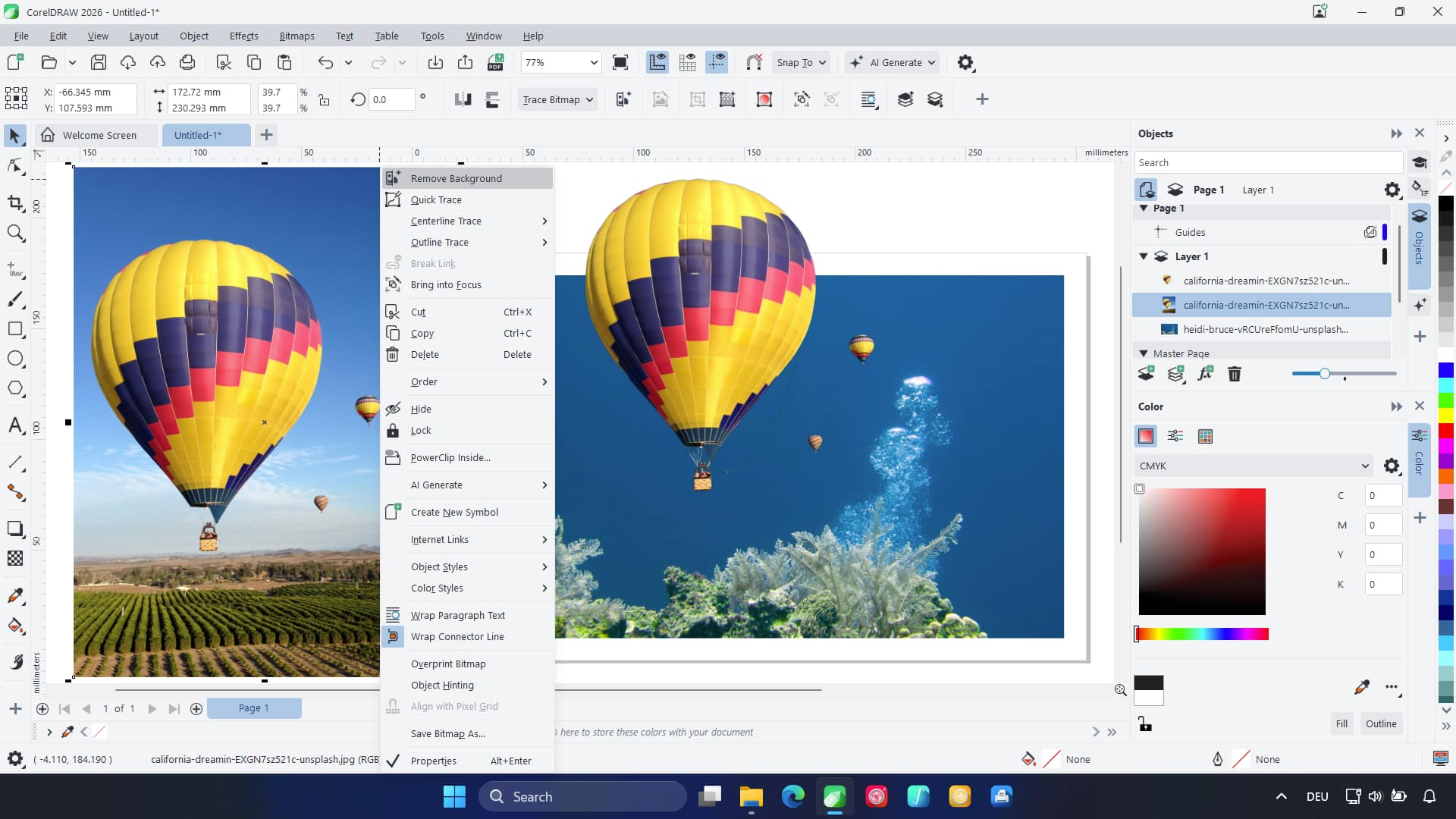
AI background removal
Remove the background from a product photo or portrait so you can place the subject in a new layout.
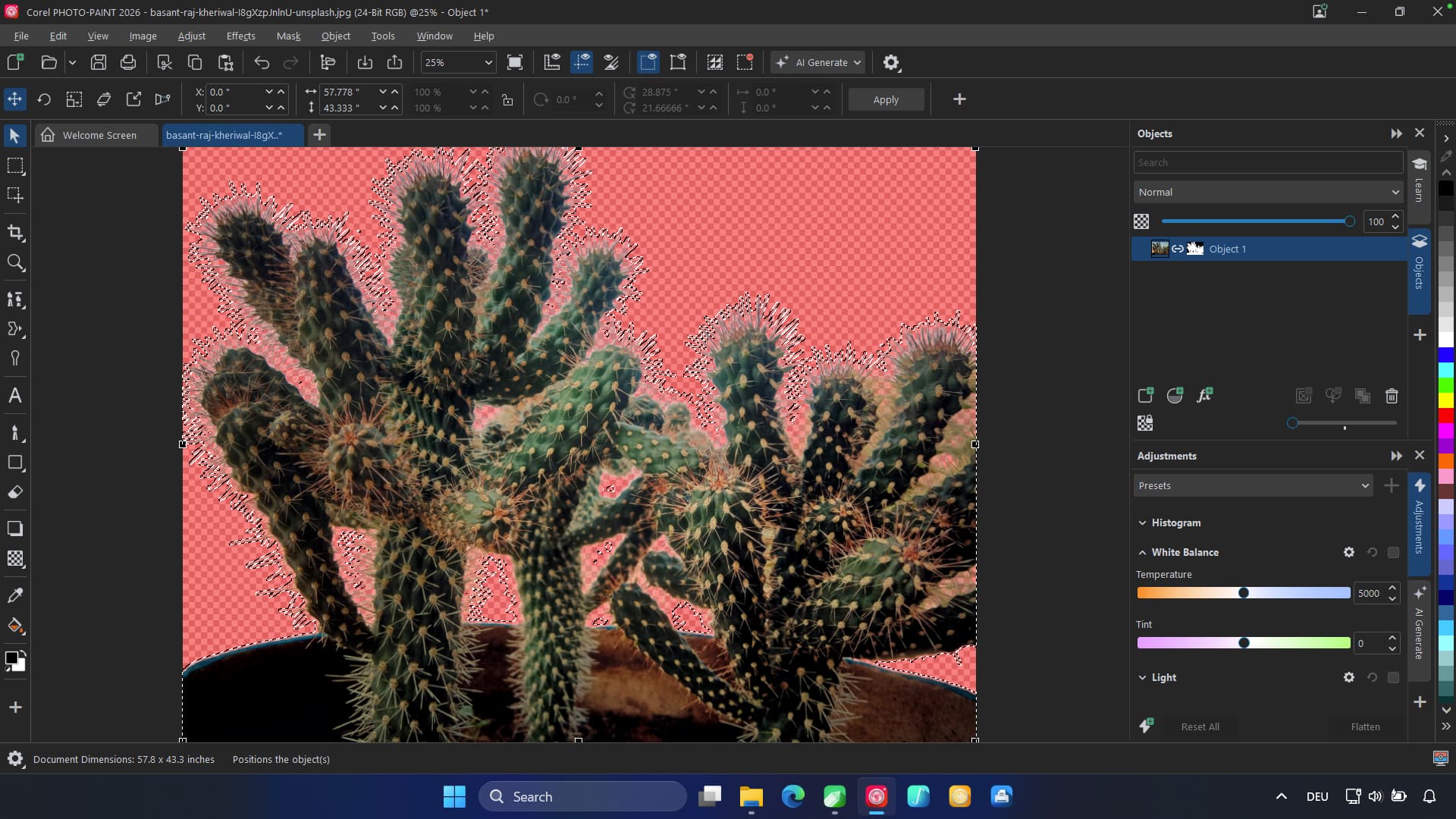
AI-assisted masking
In Corel PHOTO-PAINT, select a subject and refine the mask to control exactly which areas you edit.
Full specifications FAQ
What are the Windows requirements?
- Windows 11 / Windows 10 (64-bit)
- Processor: Intel Core i3/i5/i7/i9 (7th gen or newer) / AMD Ryzen 3/5/7/9, Threadripper, EPYC
- Disk space: 5.5 GB
- Graphics: OpenCL 1.2 · VRAM 3 GB+
- Minimum display resolution: 1280 × 720 (1920 × 1080 recommended)
What are the Mac requirements?
- macOS 27 Golden Gate / 26 Tahoe / 15 Sequoia / 14 Sonoma
- Processor: Apple Silicon / Intel (AVX2)
- Disk space: 3 GB
- Graphics: OpenCL 1.2 · VRAM 3 GB+
- Minimum display resolution: 1920 × 1200
How much RAM do I need? Do I need internet access?
At least 8 GB RAM (16 GB recommended). Internet access is required for installation and activation.


